
Knowledgebase

Adobe Reader X: There was an error opening this document. Access denied.

There was an error opening this document. Access denied.
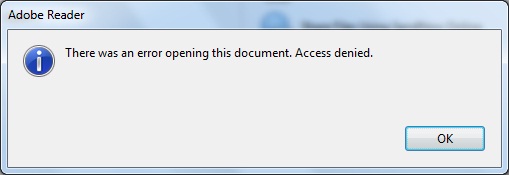
Adobe Reader X: There was an error opening this document. Access denied.

  1. Open up Adobe Reader X
  2. On the Toolbar Menu go to Edit > Preferences
  3. Go to the general tab under Categories.
  4. Untick “Enable Protected Mode at Startup”
  5. If asked if sure, click Yes and then Ok.
  6. Now close Adobe Reader X and try opening the PDF again.

Hope that fixes the problem for others out there with the same problem!

  • 0 Users Found This Useful

Was this answer helpful?

Related Articles

Outlook Cannot create file: <name>.Tiff

  Error opening attachments / Cleaning out the Temporary Outlook Files folder When opening an...

Microsoft Office Outlook "The operation failed."

Start Outlook with the resetnavpane switch; Start-> type; outlook.exe /resetnavpane (note the...

Turn Field Codes ON/ OFF

How to Toggle Field Codes Off or On in Microsoft Word A few days ago a customer contacted me...

Change what program is used to open file

Open Windows Explorer by right-clicking the Start button, and then click Explore. Click a...